Add AI to your Django app
AI features as a module in the app you have, not a rewrite.
Acasa Labs adds AI features to existing Django apps: document extraction, summaries, and search over your own records, as a module with its own jobs, cost tracking, and checks. SigmaCPM's Django REST Framework backend reads tender PDFs with AI, and every value it extracts must quote the page it came from, or it is dropped.
The problem
The AI demo calls the model in a view. Production cannot.
The first AI feature in a Django app usually goes into a view: send the document to a model, wait, save the answer. It works for one user. Then requests time out on long documents, costs climb with no record of where, the model invents a number nobody notices, and a provider outage takes the page down with it. AI in a Django app needs the same discipline as any other slow, fallible dependency: background jobs, limits, records of every call, and checks on what comes back.
What we build with Django
- 01
Document extraction
Fields, line items, and terms pulled from PDFs and scans into your Django models, each with the quote and the page it came from.
- 02
Model calls as background jobs
Every call queued, retried, and tracked, with the view returning a job the frontend can poll instead of a request that times out.
- 03
Search and answers over your records
Retrieval over your own documents and data, scoped to what each user and each organization is allowed to see.
- 04
Cost and quality records
Tokens and cost per call, per feature, and per customer, plus a test set of real documents scored on every change to a prompt or model.
From production
From SigmaCPM's AI tender intake.
Quote or drop
SigmaCPMEvery value the model extracts from a tender must come with a quote, and that quote must be found on the cited page. If it is not there, the value is dropped instead of saved.
A second, adversarial pass
SigmaCPMBond terms are re-checked by a second model run. When the two runs disagree, the term lands in a disputed state for a person to resolve.
Read the right pages first
SigmaCPMCandidate pages are retrieved before extraction, so the model reads the pages that matter instead of the whole tender package, and token use and cost are recorded on every call.
OCR before the model
SigmaCPMScanned tender pages go through OCR with retry handling before extraction, so old paper packages work as well as digital ones. PDF handling uses Java PDFBox.
Jobs that survive a crash
SigmaCPMExtraction runs on a Postgres-backed job queue with leases and orphan reclaim, so a worker that dies halfway through a tender does not lose it.
Honest trade-offs
When the AI should not live in the Django app
If the AI is a product of its own, with streaming chat, several clients, and heavy retrieval, it can be cleaner as a separate FastAPI service that the Django app calls. NoteTube's AI runs as its own FastAPI service. And if a rule or a regular expression can do the job reliably, use that instead. A model is the right tool when the input is messy and a person can check what it produced.
What we reach for
- Django, Django REST Framework
- Postgres job queue or Celery
- OpenRouter, OpenAI, Anthropic, Gemini
- OCR, Java PDFBox
- pgvector for retrieval
- Evaluation sets
Proof
Shipped, not pitched.
01Our product
SigmaCPM
Construction project management where AI reads the tender and shows its work.
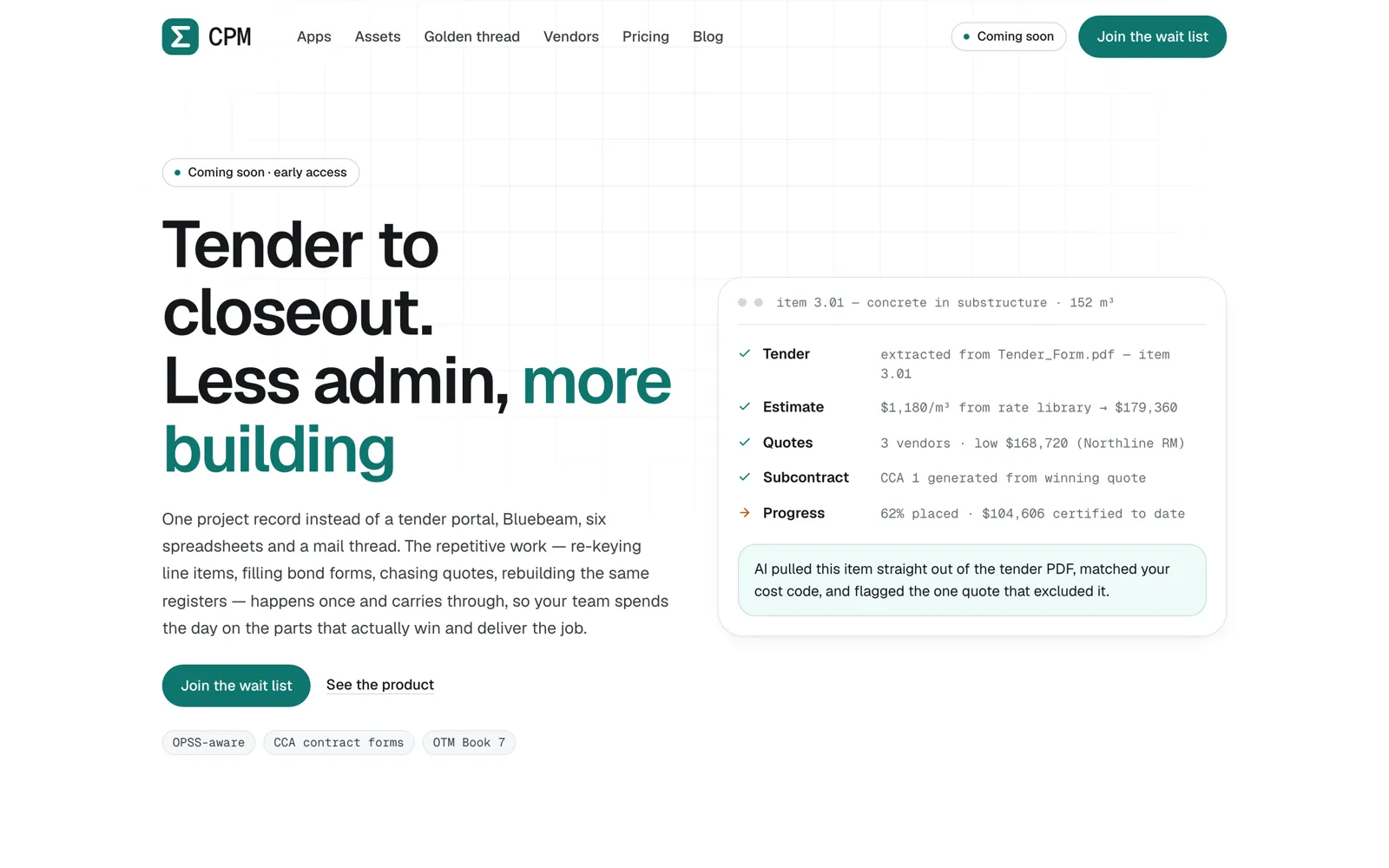
One project record for civil contractors, from tender to closeout: bids, contracts, RFIs, vendor quotes, and drawings. The AI pulls line items and bond terms out of tender PDFs and cites the page for every value.
Web · API · Chrome extension
Questions
AI in Django questions we get asked.
Can you add AI to our Django app without a rewrite?
Yes. We add it as a Django app inside your project: models for jobs and results, background workers for the model calls, and endpoints or admin views to review what the model produced.
Which model provider do you use?
The one that does the task best for the cost, behind one client so it can change later. SigmaCPM calls its models through OpenRouter.
How do you stop the AI from making things up?
By requiring evidence. In SigmaCPM, every extracted value must quote the source page or it is dropped, and risky fields get a second, adversarial pass, with disagreements sent to a person.
What will the AI cost to run?
We measure it on your own documents before launch and record tokens and cost on every call after. Retrieving the right pages before calling the model is usually the biggest saving.
Celery or a Postgres job queue?
A Postgres queue when the volume is moderate and you want one less service, as in SigmaCPM. Celery with Redis when you need high throughput or complex routing.
Is our data sent to the model provider?
With hosted models, the text being processed is. We pick providers and settings that do not train on your data, and can run open-weight models in your own cloud when data must not leave it.
Add AI to your Django app
Bring the document your team re-keys every week.
Send a sample and tell us where the data should end up in your Django app. We will show you what AI can extract from it and how the result would be checked.