AI document processing
Get the data out of PDFs and scans, with the page it came from.
Acasa Labs builds AI document processing: intelligent document processing that reads PDFs, scans, and office files, extracts the fields you need, and shows where each value came from. SigmaCPM pulls line items and bond terms out of tender PDFs, runs OCR on scanned pages, and cites the page for every value it keeps.
The problem
Someone on your team is re-typing documents right now.
Tenders, invoices, contracts, purchase orders, forms. They arrive as PDFs and scans, and a person copies the numbers into a spreadsheet or a system, one field at a time. It is slow, and one wrong digit can cost more than the time it saved. Generic OCR gets the text but not the meaning, and a model that guesses a value is worse than no automation at all, because nobody knows which values to check.
What we build
- 01
Intake for every format
PDFs, scans, photos, Word files, and spreadsheets parsed into text and layout, with OCR and retries for poor scans.
- 02
Extraction into your fields
The values your process needs, such as line items, dates, amounts, and terms, pulled into typed fields that match your system.
- 03
Evidence for every value
Each extracted value carries the quote and the page it came from, and values without evidence are dropped or flagged.
- 04
Review where it matters
A queue for uncertain or disputed values, so people check the few fields that need it instead of the whole document.
From production
From document processing we run.
No quote, no value
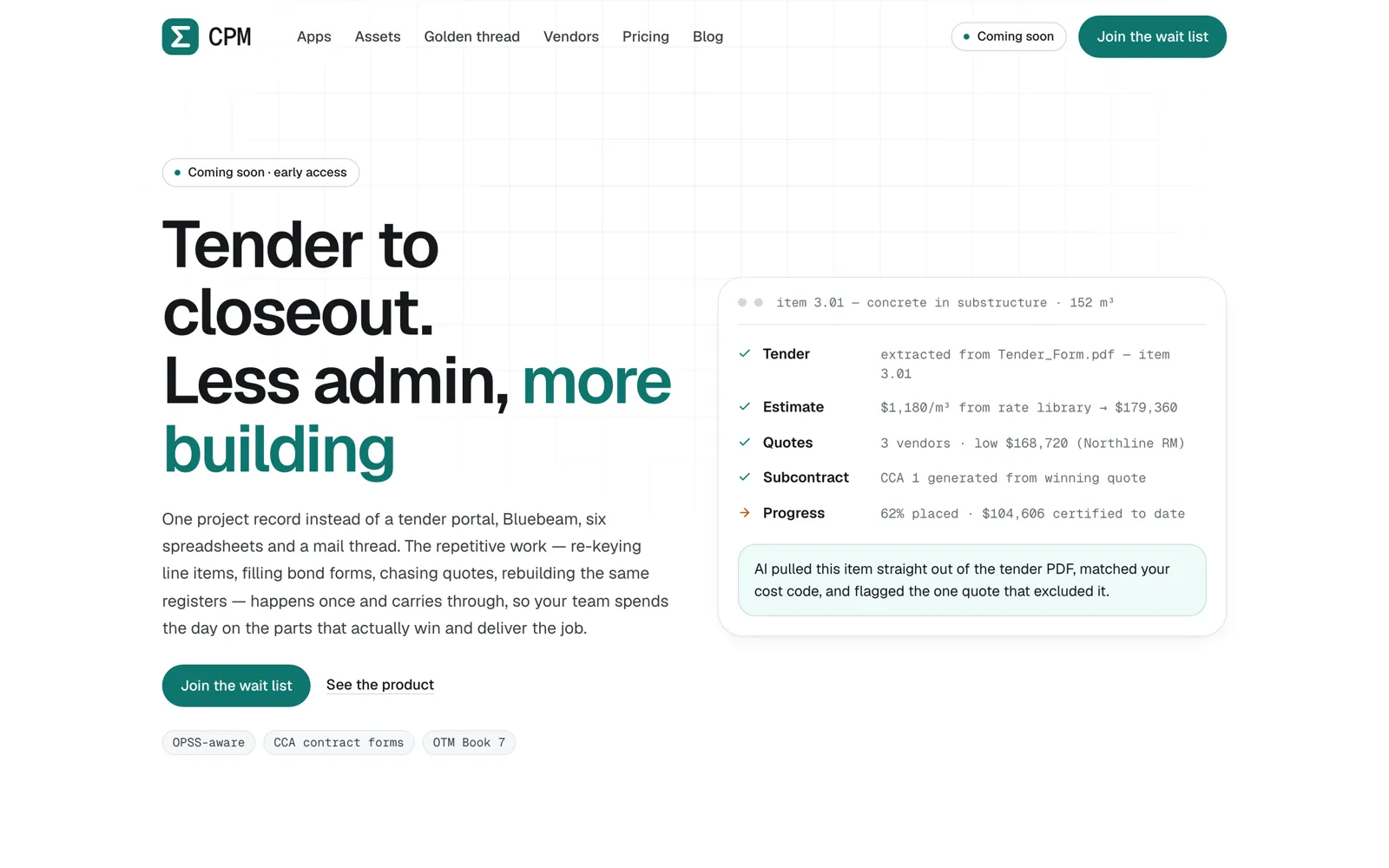
SigmaCPMEvery value SigmaCPM's model extracts from a tender must come with a quote, and the quote must be found on the cited page. If it is not there, the value is dropped.
A second pass on the risky fields
SigmaCPMBond terms are re-checked by a second, adversarial model run. Disagreements land in a disputed state for a person to resolve, instead of going into a bid.
Scans, and the right pages
SigmaCPMScanned pages go through OCR with retry handling, and candidate pages are retrieved before extraction, so the model reads the right pages instead of the whole package.
Many formats, one index
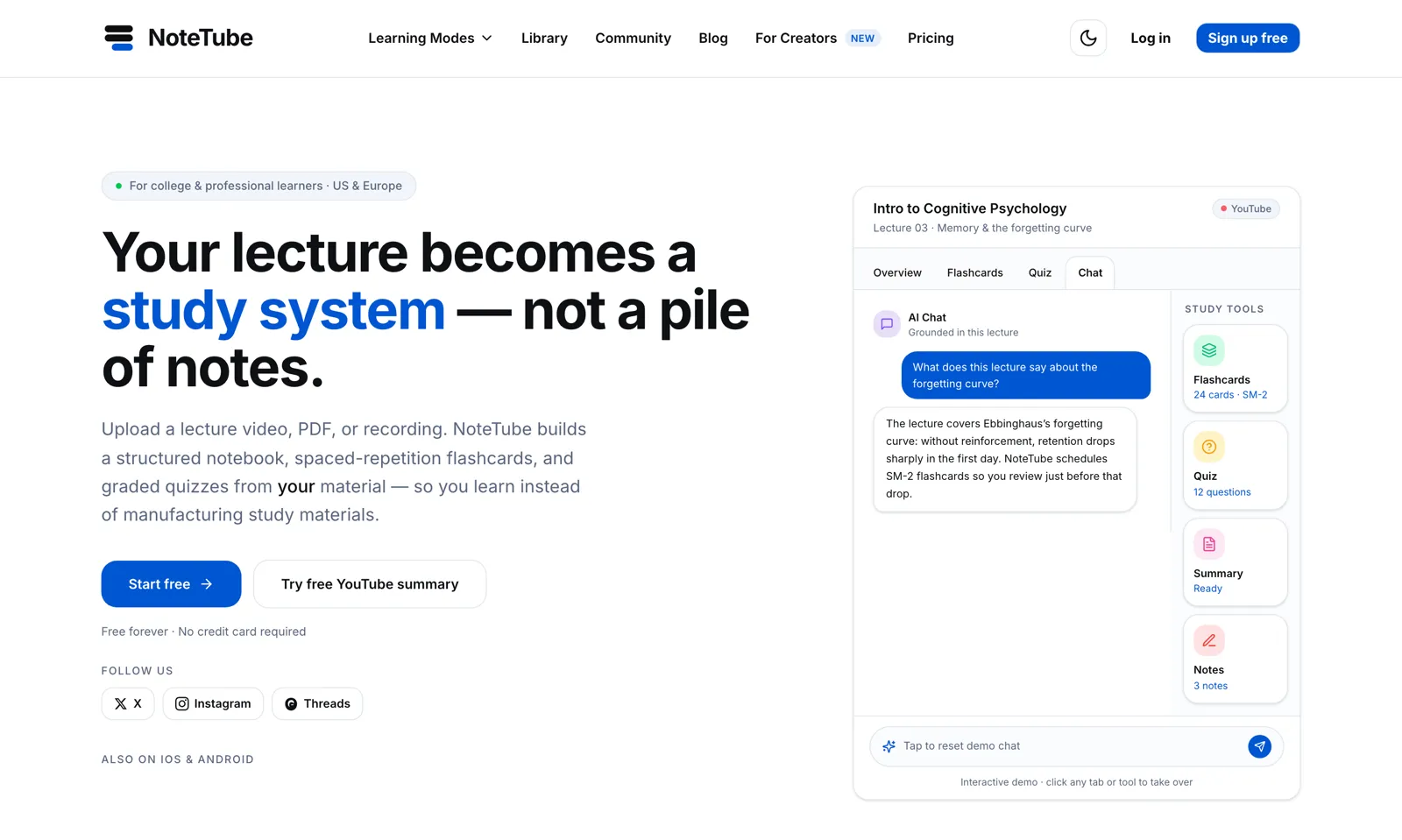
NoteTubeNoteTube parses PDFs, DOCX, images, articles, audio, and video, chunks and embeds them, and answers questions grounded in those sources.
Honest trade-offs
When you do not need AI for documents
If your documents come from one system in one fixed layout, a template-based parser or the sender's own data export is cheaper and exact. If they arrive as structured e-invoices, or an API is available, use that. AI document processing pays off when layouts vary, when scans are involved, or when the values you need are buried in prose, as they are in tenders and contracts.
What we reach for
- Python, Django REST Framework
- OCR
- Java PDFBox
- OpenRouter LLMs
- Postgres job queues
- Qdrant, pgvector
- Review queues
Proof
Shipped, not pitched.
01Our product
SigmaCPM
Construction project management where AI reads the tender and shows its work.
One project record for civil contractors, from tender to closeout: bids, contracts, RFIs, vendor quotes, and drawings. The AI pulls line items and bond terms out of tender PDFs and cites the page for every value.
Web · API · Chrome extension
02Our product
NoteTube
A lecture becomes a study system: chat, flashcards, quizzes, all grounded in the source.
An AI learning platform that turns PDFs, YouTube lectures, recordings, and notes into a structured notebook with grounded chat, spaced-repetition flashcards, and graded quizzes.
Web · iOS · Android · Chrome extension · MCP server
Questions
AI document processing questions we get asked.
What kinds of documents can you process?
PDFs, scanned pages, photos of documents, Word files, and spreadsheets. SigmaCPM handles tender packages, including old scanned ones, and NoteTube parses PDFs, DOCX, images, and more.
How accurate is AI extraction?
It depends on your documents, so we measure it on a sample of yours before launch. What we design for is that every kept value has evidence, and that uncertain values go to a person instead of slipping through.
Can it handle scanned or handwritten documents?
Scanned pages, yes: SigmaCPM runs OCR with retry handling before extraction. Handwriting varies a lot, so we test it on your samples before saying what to expect.
Where does the extracted data go?
Into your system: a database, a spreadsheet, your ERP or CRM through its API, or a review screen we build. Each value keeps a link to its source page.
Can we try it on our own documents first?
Yes. Send a handful of real documents and the fields you need. We will show you what extraction looks like on them and where a person would still need to check.
AI document processing
Send us a sample document.
A real one, with the fields you re-type today. We will show you what we can extract, with the page for each value, and what would still need a person.